
Latest Version
Electronic Team, Inc.
Tools
Mac
$29.99
1035237815
Report a Problem
More About Commander One PRO
An Editorial Review of Commander One PRO: FTP & Cloud Manager
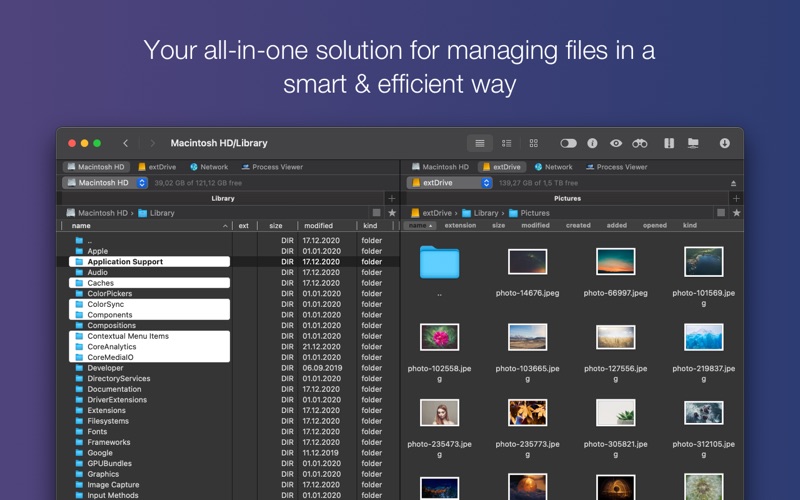
For macOS power users, developers, and system administrators, managing local directories alongside remote servers can quickly become a bottleneck. Commander One PRO: FTP & Cloud addresses this exact challenge. Developed by Electronic Team, Inc., this premium dual-pane file manager is built from the ground up in Swift, offering a highly responsive, native-feeling environment designed to optimize complex file workflows.
Rather than jumping between multiple single-purpose applications, this utility consolidates local file operations, archival tasks, and remote server connections into a unified, two-panel workspace. Let's delve into who benefits most from this software and analyze its standout features.
Who Benefits Most from This Dual-Pane Environment?
- System Administrators & Developers: With native support for secure protocols like SFTP and WebDAV, backend professionals can edit files directly on remote servers without manual downloading.
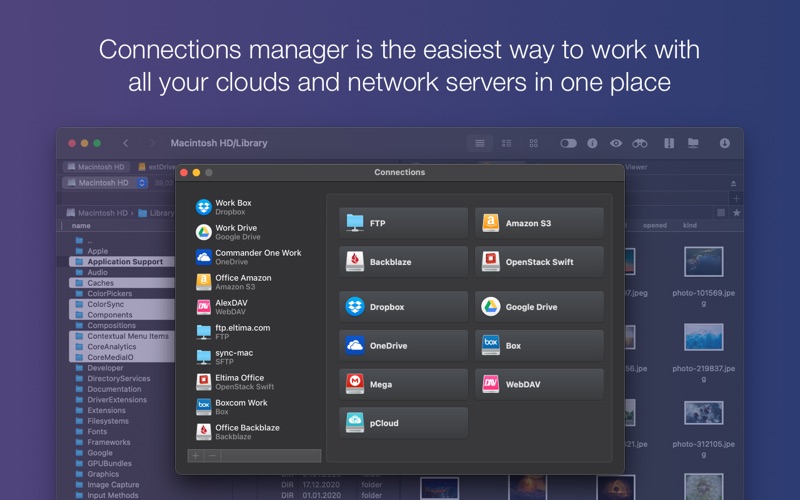
- Cloud Integrators & Remote Workers: Anyone managing assets across Amazon S3, Google Drive, Dropbox, OneDrive, Box, or Backblaze B2 can interact with their cloud files as if they were stored locally.
- Power Users & Archivists: Users who routinely handle compressed formats will appreciate the deep integration for viewing, editing, and creating password-protected archives on the fly.
Key Features of Commander One PRO: FTP & Cloud
The application stands out not just for its dual-pane layout, but for the depth of its integrations. Below are the core capabilities that make it a robust choice for macOS:
- Advanced Protocol Support: Establish simultaneous connections to multiple remote servers using FTP, SFTP, and WebDAV protocols.
- Direct Server-to-Server Transfers: Move files directly between remote locations using FTP without downloading them to your local Mac storage first.
- Enterprise-Grade Security: Protect your remote connections and online storage with Advanced Encryption Standard (AES) utilizing a 256-bit key length.
- Seamless Cloud Mounting: Mount services like OpenStack, Mega, pCloud, and Google Shared Drives to access and manage assets through simple drag-and-drop actions.
- Comprehensive Archive Handling: Treat 7zip, RAR, and TAR archives like regular folders. You can search, copy, or view contents without full extraction.
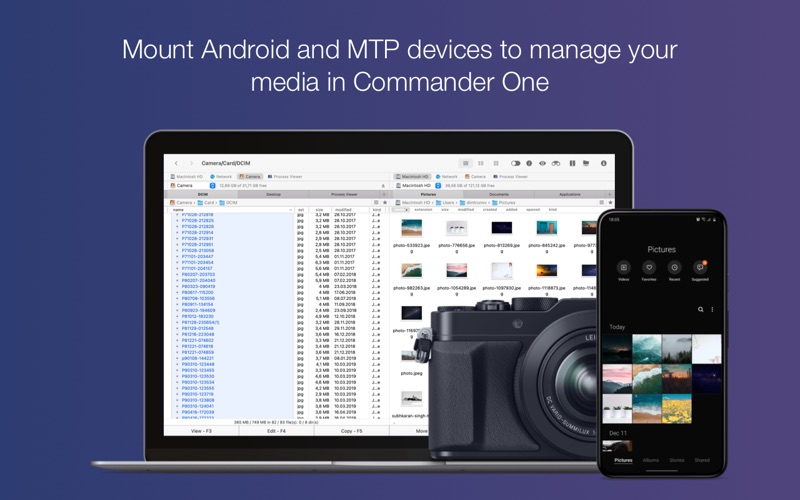
- MTP Device Integration: Connect Android or other Media Transfer Protocol (MTP) devices to your Mac and browse their files as mounted drives.
A Highly Tailored Workflow Experience
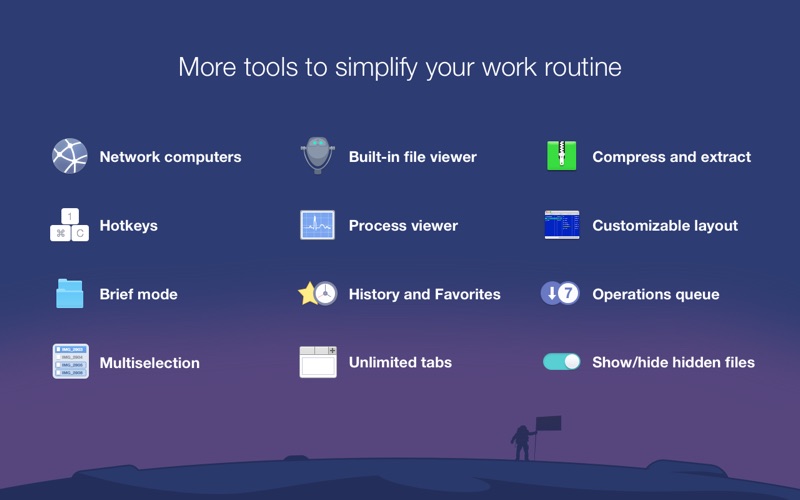
Beyond technical capabilities, Commander One PRO: FTP & Cloud recognizes that comfort impacts productivity. The tool is highly customizable, allowing users to choose from built-in color themes, design custom visual layouts, and adjust font sizes to build an optimal, readable workspace. By bridging the gap between local storage, remote servers, and diverse cloud platforms, it eliminates repetitive manual steps from your daily routine.
If you are looking to elevate your desktop efficiency and unify your cloud storage management, read more details and view purchase options on the official Mac App Store.
Rate the App
User Reviews












Popular Apps










Editor's Choice