
Latest Version
Nextcloud GmbH
Tools
Linux
Free
com.nextcloud.desktopclient.nextcloud
Report a Problem
More About Nextcloud Desktop Client
Taking Control of Your Data on Linux
While mainstream cloud providers often lock users into restrictive ecosystems, the Nextcloud Desktop Client file sync tool offers a refreshing alternative for Linux users who value digital sovereignty. Designed by Nextcloud GmbH, this utility bridges the gap between your local workstation and your private cloud server, ensuring your data remains entirely under your control without sacrificing modern convenience.
Seamless Real-Time Synchronization
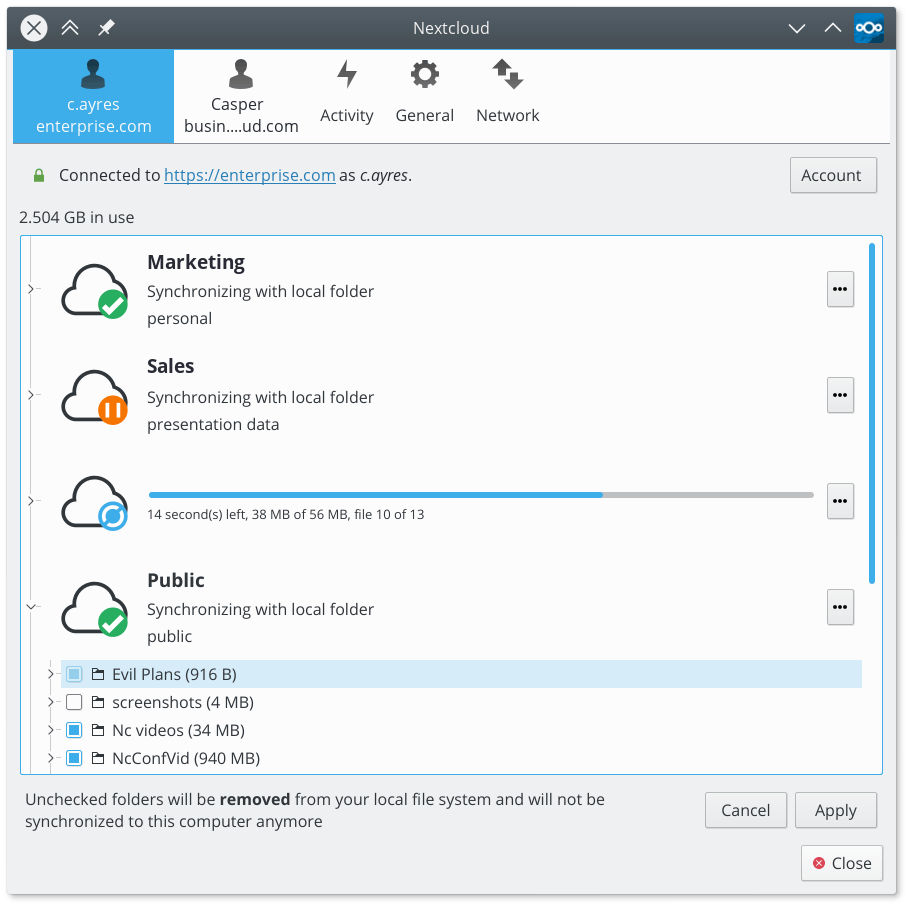
The core strength of the Nextcloud Desktop Client file sync utility lies in its background automation. Once configured on your Linux machine, it monitors your designated local directories for any modifications. Whether you add a new document, update a spreadsheet, or delete outdated photos, those changes instantly replicate to your server and any other connected devices. The synchronization is bidirectional, meaning updates made on your mobile device or web interface download to your desktop without manual intervention.
Key Features of the Linux Client:
- Automated Background Sync: No manual uploads required; your files are updated silently in the background.
- Multi-Device Harmony: Keeps your desktop, laptop, and server in perfect alignment.
- Resource Efficiency: Built to run smoothly on Linux without draining system memory.
- Conflict Resolution: Smart handling of file modifications to prevent accidental data loss.
Who Is This Desktop Client For?
This software is an essential tool for developers, system administrators, and privacy-conscious users who host their own Nextcloud instances. If you want the seamless experience of commercial cloud storage but demand absolute privacy and data ownership on your Linux system, this client provides the exact bridge you need to collaborate and work efficiently.
Get Started with Nextcloud
By integrating this client into your daily workflow, you eliminate the friction of manual backups and file transfers. If you are ready to streamline your personal or corporate cloud experience on Linux, head over to the official Flathub store page to explore the Nextcloud Desktop Client and integrate it into your system.
Rate the App
User Reviews








Popular Apps










Editor's Choice